


Updated June 2026
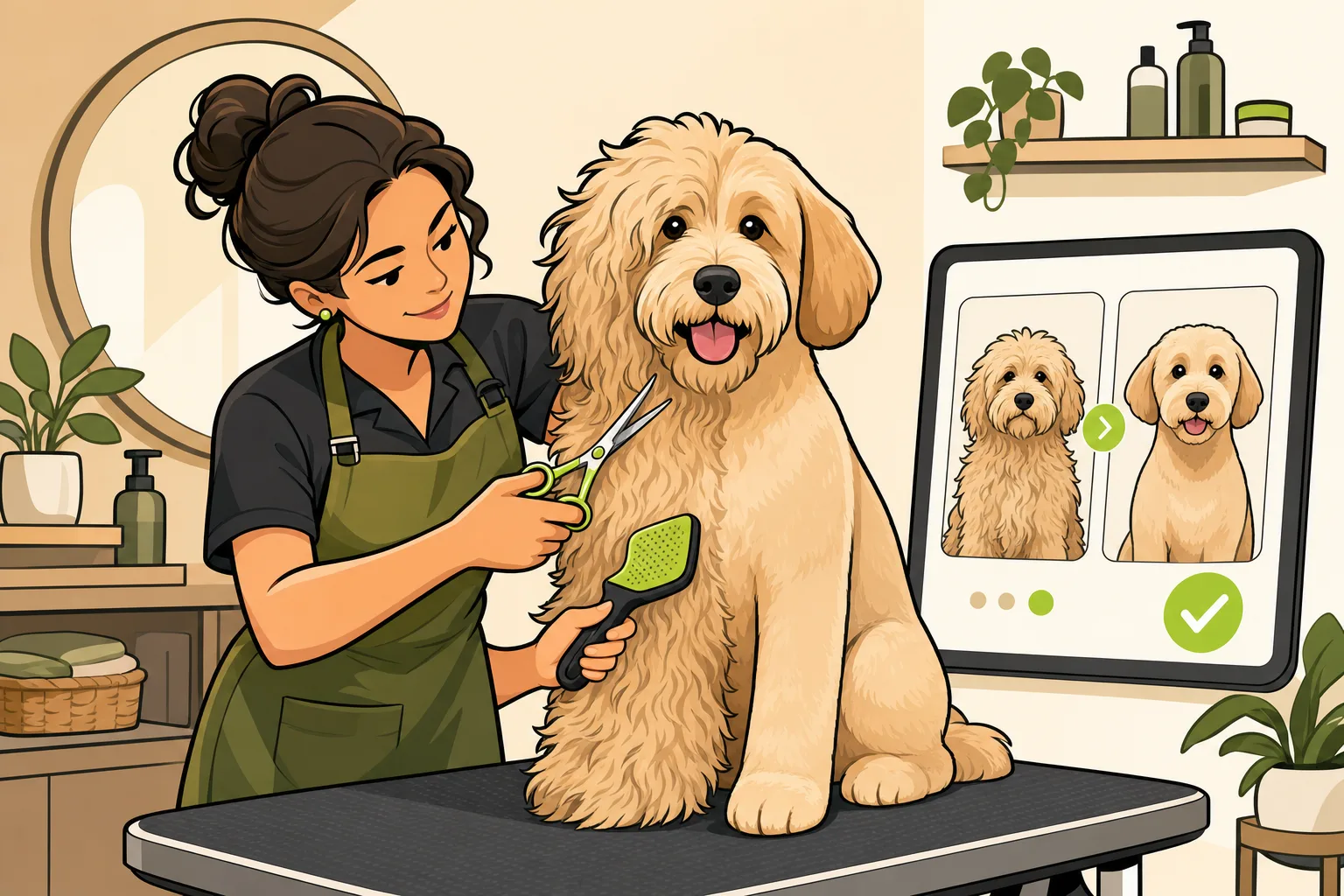
Dog grooming before and after photos are the single highest-converting content type a salon can publish — yet across GrowLocal's proprietary research into top-ranking local dog grooming websites, no competitor among the strongest sites we analyzed gives before/after pairs a prominent, dedicated section. That is an open lane. A groomer with a real gallery page is competing against salons that don't have one.
Below: why the transformation photo closes the skepticism loop written testimonials cannot, how to shoot consistent before/after pairs with a phone, what a gallery page should include, and how to publish photos without calling a developer. See the dog grooming website breakdown on GrowLocal for what the strongest grooming sites do and don't do.
Why does a before/after photo do what a testimonial can't?
A five-star review tells a potential client that someone was happy. A before/after photo shows why — in a single image.
Dog owners handing their pet to a stranger are making a trust decision, not a price decision. The silent question every first-time client carries is: "Will my dog come out looking the way I want?" A written testimonial answers that from someone else's mouth. A transformation photo answers it with direct evidence.
The other thing photos do that text doesn't: they demonstrate skill in the specific breed the new client cares about. A doodle owner scanning your gallery for a doodle transformation will convert faster than if they read ten five-star reviews from spaniel owners. Match the photo to the dog — not every visitor has the same coat to worry about.
What's missing on most grooming websites right now?
Most grooming websites treat photos as decoration, not sales tools. The pattern across the strongest salons we analyzed in Austin, Denver, Phoenix, Charlotte, Nashville, and Tampa: Instagram feed embeds at the page bottom (auto-updating but hard to browse), or a generic gallery buried in the nav that shows post-groom shots without a "before."
The before matters. Without it, the visitor can't measure the transformation. They're looking at a photo of a well-groomed dog and thinking: "was that dog already groomed when it arrived?" The before/after pair is what creates the "wow" — and the wow is what triggers the call or the quote request.
In our analysis of top-ranking local dog grooming sites across Austin, Denver, Phoenix, Charlotte, Nashville, and Tampa, 6 of 8 also hide pricing entirely — another open lane a published price card and a real gallery page together can fill. Two gaps; one groomer with the willingness to fill them stands apart.
We see the same cross-trade pattern across local business websites in painting, flooring, and landscaping — before/after photography drives higher engagement than any other section, but most competitors skip it even where it would be effective.
Key takeaway: Before-and-after transformation photos are the highest-engagement content type on a dog grooming website — and the open conversion lane most salons are leaving empty. A dedicated gallery page with consistent paired shots is one of the simplest, highest-return moves a groomer can make this year. (See our full gallery-engagement data.)
How do you take consistent before/after photos with a phone?
Consistency is what separates a professional-looking gallery from a random collection of cute dog photos. The before and after need to look like they belong together — same framing, same background, same light — so the transformation is visible rather than obscured by a change in angle or setting.
Here is a repeatable system that works with any modern smartphone:
- Pick one spot in your salon and make it your photo station. A section of grooming table against a plain wall, a corner with good natural light from a nearby window — pick it and use it every time. Tape a mark on the floor if you need to.
- Shoot "before" when the dog arrives, before you brush or clean. The messier, the better. That's the contrast that makes the after compelling.
- Use the same distance and angle for both shots. Portrait orientation works well for most dogs. Hold the phone at the dog's eye level — not looking down.
- Natural light from the side beats overhead salon lighting. Overhead fluorescents flatten the coat. Diffused daylight from a window brings out texture and color.
- Get the dog's face in frame and let their personality show in the after shot. A tail-wag, ears perked, tongue out — the after photo should feel celebratory.
- Take five or six shots per session. Dogs move. You need options.
- Build a photo release into your new-client intake form. One sentence: "I give [Salon Name] permission to photograph my dog during grooming and use these photos on their website and social media." Get it signed once — it covers every future appointment.
The process takes 90 seconds at intake and 90 seconds at pickup. Over a year with a modest client volume, that's a gallery of dozens of transformations organized by breed.
What should the gallery page on a grooming website actually include?
Not all gallery pages are equal. Here is what separates a gallery page that builds trust from one that visitors scroll past:
| Gallery page element | Converts | Why |
|---|---|---|
| Paired before/after images (same session) | Yes | Shows the transformation clearly; no guessing |
| Post-groom-only photos | Partial | Shows the result but not the skill |
| Stock photography | No | Visitors recognize it; destroys trust |
| Organization by breed or coat type | Yes | Lets doodle owners find doodle photos fast |
| Captions with brief context ("6-month check-in", "matted coat rescue") | Yes | Adds personality; explains difficult cases |
| Photo with groomer's name | Good addition | Humanizes; strengthens groomer-specific trust |
| Client testimonial alongside the photo | Strong | Pairs visual proof with a written voice |
| Gallery buried in a nav dropdown | Undermines | If it's your best sales asset, put it where people land |
The strongest move: feature two or three paired transformations directly on the homepage — enough to hook the visitor — and link to a dedicated gallery page for the full collection. Don't make visitors hunt for the thing that closes them.
How do I get before/after photos onto my website without a developer?
This is the friction point most groomers describe — not the photography, but publishing. Most website platforms require logging into a dashboard, resizing an image, and editing a page without breaking anything.
On a GrowLocal dog grooming website, the gallery section is built in from day one. Uploading phone photos through the dashboard publishes them to the gallery page without touching any code. The layout handles the grid automatically on both mobile and desktop.
The gallery page CTA links to a contact and quote form — visitors submit a quick note about their dog, and the groomer responds within 24 hours. GrowLocal's sites include a contact form, not a built-in booking calendar. Groomers who use Vagaro, Mindbody, or a similar platform can link their existing booking page alongside it. The gallery does the selling; the booking software handles the calendar.
How often should I update my grooming gallery?
A gallery that hasn't been updated since 2023 signals the wrong thing: that the business isn't busy, or isn't proud of its recent work.
The practical standard: add five to ten new photos per month — one or two per week. After three months you'll have a gallery robust enough to organize by breed. Don't delete old photos unless the style has changed significantly. Gallery depth is trust. A 200-photo archive from a salon grooming since 2012 communicates longevity in a way no headline can.
For more on what groomers should include beyond the gallery, read Do dog groomers need a website? and how much a dog grooming website costs. If you're also building trust around certifications, Fear Free grooming certification is worth reading — it covers the credential that closes the anxiety-dog gap a gallery alone can't fill.
Frequently Asked Questions About Dog Grooming Gallery Websites
Do I need permission to post photos of client dogs on my website?
Yes. One sentence in new-client paperwork covers it: "I authorize [Salon Name] to photograph my pet during grooming and use those photos for marketing purposes." Get the signature once; it covers the ongoing relationship. For clients who prefer not to share, keep a note in their file. Most owners are happy to be featured.
Can I just post the after photo, or is the before essential?
After-only photos are better than nothing, but they lose the contrast that makes transformations compelling. Without the before, a visitor looking at a perfectly groomed doodle has no way to gauge your skill. The "before" — messy, matted, overgrown — is what makes the "after" feel earned. Build the intake-photo habit so you always have both.
What breeds should I prioritize for my gallery?
Prioritize the breeds you want more of. If you want more doodle clients — goldendoodles, labradoodles, cockapoos — make doodle transformations the most prominent photos. Breed-specific results are how visitors self-select: a schnauzer owner won't convert on a gallery full of labs. Across GrowLocal's proprietary research into top-ranking local dog grooming websites, before-and-after pairs are the highest-engagement content type — organizing them by breed makes that effect stronger.
Should the gallery page be separate or part of the homepage?
Both. Feature two to four paired transformations on the homepage to hook visitors, and link to a dedicated gallery page for the full collection. The gallery page in your nav lets people who came specifically to see your work find it immediately. The homepage preview persuades visitors who came for services before they leave.
What if I'm just starting out and don't have many photos yet?
Start publishing with what you have. Three strong before/after pairs are more persuasive than a placeholder that says "Gallery coming soon." Within 60 days of consistent photography you'll have enough to organize by breed. Don't wait until you have 50 photos — the gallery earns its first client while you're still building it.
Do I need a website or can my gallery live on social media?
Social media — particularly Instagram — is excellent for discovery. It is not a reliable long-term home. Instagram algorithms deprioritize older posts; a transformation photo from two years ago is essentially invisible. Your website gallery lives permanently, ranks in local search, and is under your control. The Instagram feed earns followers; the website gallery converts them into clients. For a full look at what a grooming website should include, see the GrowLocal dog grooming website guide.